Coming from ConfigCat.
Flags uses the same model, the same user object and the same bucket hashing, so a migration is an import, an SDK swap and a check.
Plan for an afternoon per product: import (minutes), run both SDKs side by side and compare, then switch your apps over one environment at a time. Nothing in ConfigCat changes until you turn it off.
1
Concept map
| ConfigCat | Flags |
|---|---|
| Organization | Workspace |
| Product | Project |
| Config | Config |
| Environment | Environment (one SDK key per config and environment, as in ConfigCat) |
| Feature flag / setting | Setting (boolean, string, integer, number, json) |
| Targeting rule, percentage options | Rule, percentages (per rule or for everyone else) |
| Segment | Segment (per project) |
| Prerequisite flag | Prerequisite condition |
| Sensitive (hashed) comparators | Confidential comparators (*_hashed) |
| Audit log | History, with diff, notes and Restore this version |
| Webhooks | Webhooks: config.published, sdk_key.rotated (Standard Webhooks signatures) |
| Predefined variations | Not in v1: imported as plain values (v1.1) |
2
Keys and buckets stay the same
- Flag keys are kept as they are. Flags keys start with a letter and contain letters, digits,
_,.and-, up to 128 characters; a ConfigCat key outside that is listed in the dry run as unsupported. Environment and config keys become lowercase slugs of their names (Production→production), and segment names become segment keys. - Buckets are sticky across the move. Every imported flag's seed is its ConfigCat key, and Flags hashes like ConfigCat does, so a user in the 10% in ConfigCat is in the same 10% in Flags. Renaming the flag later does not change that.
- Hashed values are re-hashed, not reused. ConfigCat's hashes use its own per-config salt, which Flags cannot reuse. The importer reads the clear text of sensitive comparators through ConfigCat's Management API and hashes it again under your project's salt. Where ConfigCat returns only hashes, the dry run says so and you re-enter those values after the import.
- Not supported in v1, and reported by the dry run: regular-expression and case-insensitive comparators (Flags compares case-sensitively). Predefined variations import as plain values, with their names listed.
3
Import in the console
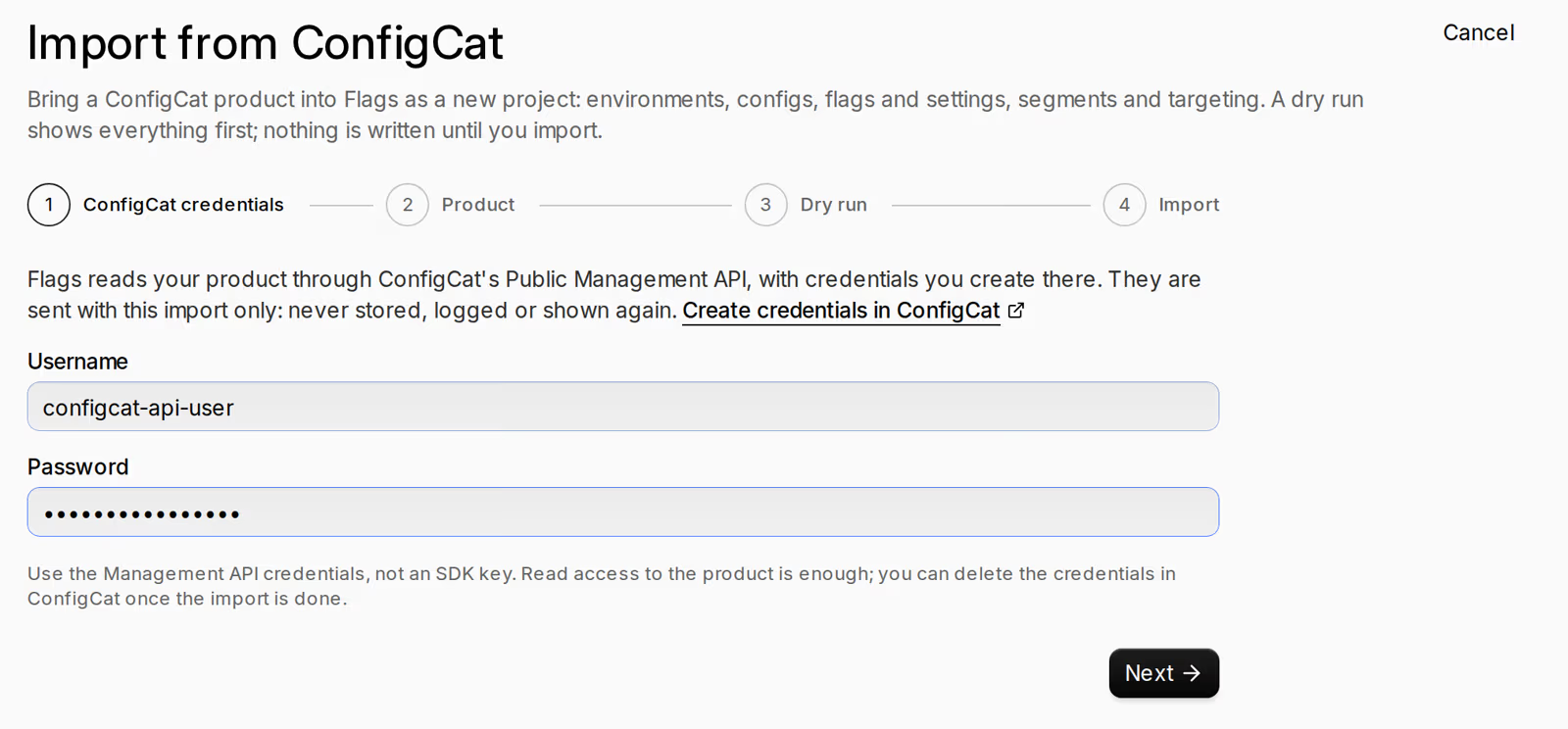
- In ConfigCat, create Public Management API credentials (My account › Public API credentials). Flags uses them for this one request and never stores, logs or caches them; delete them in ConfigCat when you are done.
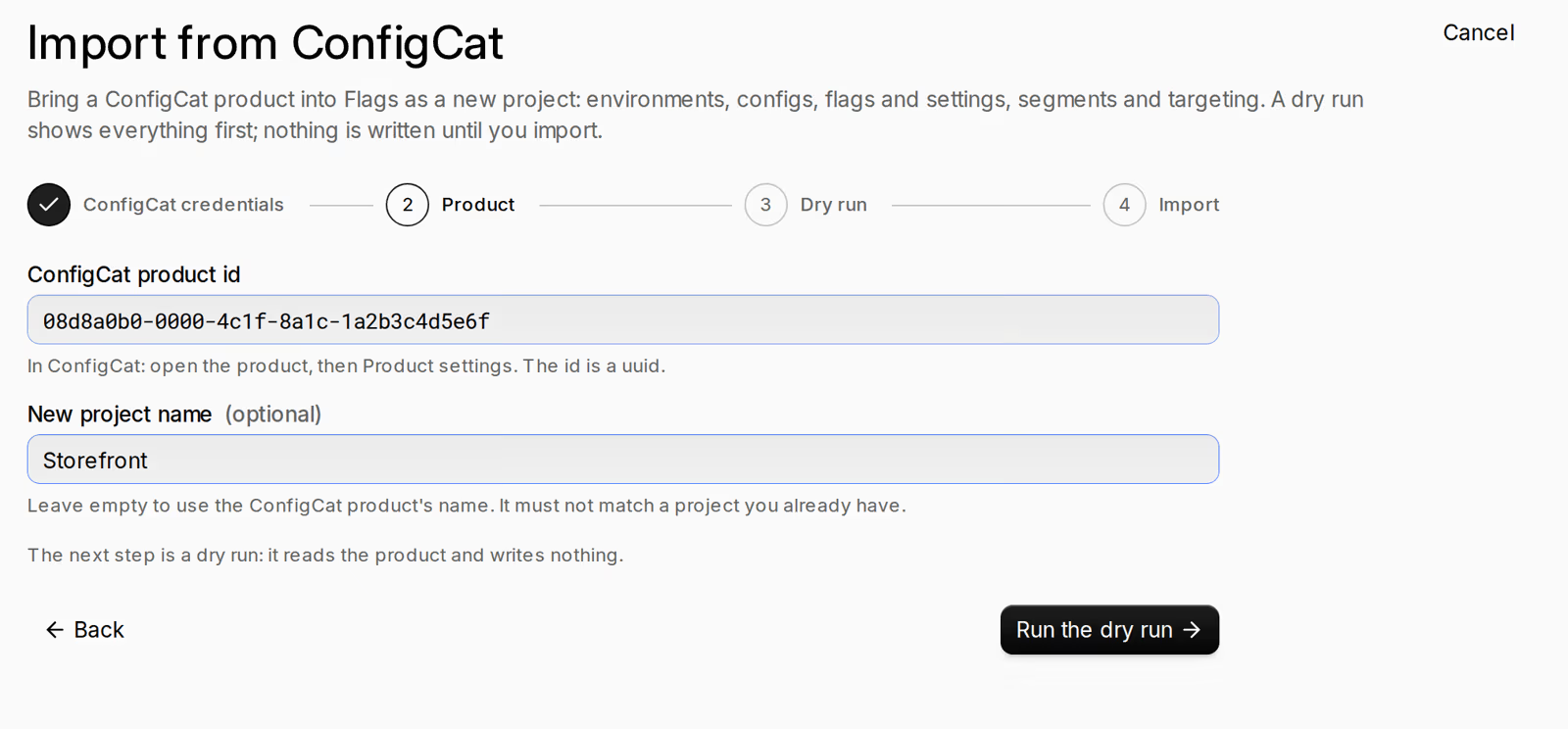
- In the console open Flags › Import from ConfigCat (you need
flags.project.manageandflags.create; owners and admins have both). Enter the credentials, then the ConfigCat product id (in ConfigCat: the product's Product settings) and, optionally, a name for the new project. - Dry run: you see what maps, what is imported in a different form and what is unsupported, with counts. Nothing is written.
- Import. If something is unsupported you can import without it (it is listed in the change note) or fix it in ConfigCat and run the dry run again. Production-named environments are imported protected.
The same import from code, dry run first:
import { Flags } from "@productcraft/flags";
const flags = new Flags(); // PRODUCTCRAFT_API_KEY + PRODUCTCRAFT_WORKSPACE_ID

// ConfigCat Public Management API credentials: used for this request
// only, never stored, logged or echoed.
const credentials = {
  username: process.env.CONFIGCAT_API_USERNAME!,
  password: process.env.CONFIGCAT_API_PASSWORD!,
};

const dry = await flags.imports.create({
  source: "configcat",
  credentials,
  configcat_product_id: "08d8a0b0-0000-4c1f-8a1c-1a2b3c4d5e6f",
  dry_run: true,
});
console.log(dry.report.counts, dry.report.unsupported, dry.report.warnings);

if (dry.report.unsupported.length === 0) {
  const real = await flags.imports.create({
    source: "configcat",
    credentials,
    configcat_product_id: "08d8a0b0-0000-4c1f-8a1c-1a2b3c4d5e6f",
    dry_run: false,
  });
  console.log("project", real.project?.id);
}
4
Swap the SDK
| ConfigCat (JavaScript) | @productcraft/flags |
|---|---|
configcat.getClient(key, PollingMode.AutoPoll, …) | new FlagsClient({ sdkKey, polling: { mode: "auto" } }) |
PollingMode.LazyLoad / ManualPoll | { mode: "lazy", ttlSeconds } / { mode: "manual" } |
new User(id, email, country, custom) | { identifier, email, country, custom } |
getValueAsync(key, default, user) | getValue(key, default, user) |
getValueDetailsAsync | getValueDetails |
getAllValuesAsync | getAllValues |
forceRefreshAsync() | forceRefresh() |
snapshot() | snapshot() (synchronous reads) |
flagOverrides (map, file) | overrides: { values | file | env, behaviour } |
setDefaultUser | defaultUser option, or setDefaultUser() |
hooks: clientReady, configChanged, flagEvaluated, clientError | on("ready" | "configChanged" | "evaluated" | "error") |
setOffline() / setOnline() | setOffline() / setOnline() |
dispose() | close() |
OpenFeature provider | @productcraft/flags-openfeature |
import { FlagsClient } from "@productcraft/flags";

// ConfigCat:
//   const client = configcat.getClient(KEY, configcat.PollingMode.AutoPoll, { pollIntervalSeconds: 60 });
//   const user = new configcat.User("user-123", "ada@example.com", "NL", { plan: "pro" });
//   const on = await client.getValueAsync("new_checkout", false, user);
//   await client.forceRefreshAsync();
//   client.dispose();

const flags = new FlagsClient({
  sdkKey: process.env.PRODUCTCRAFT_FLAGS_SDK_KEY,
  polling: { mode: "auto", intervalSeconds: 60 },
});
const user = { identifier: "user-123", email: "ada@example.com", country: "NL", custom: { plan: "pro" } };
const on = await flags.getValue("new_checkout", false, user);
await flags.forceRefresh();
flags.close();
console.log(on);
5
Dual-run check
Before you switch, prove both SDKs give every user the same answer.
configcat-dual-run.mjs in the SDK repository loads both SDKs side by side, evaluates every flag for a set of synthetic users and, if you give it one, a file of your real user objects (it runs on your machine; nothing is sent anywhere), and prints every difference.
git clone https://github.com/clauderanelagh/productcraft-node && cd productcraft-node/examples
npm install
node configcat-dual-run.mjs --configcat-key "$CONFIGCAT_SDK_KEY" \
  --flags-key "$PRODUCTCRAFT_FLAGS_SDK_KEY" --users 1000 --users-file users.json
6
Cutover checklist
- Import, and resolve everything the dry run lists.
- Freeze flag changes in ConfigCat (or make every change in both until the cutover).
- Dual-run every config and environment: zero differences.
- Create the Flags SDK keys and set up the cache and bootstrap (guide 07).
- Switch Development, then Staging, then Production, one deploy each.
- Move webhooks and alerts to Flags'
config.published. - Watch for a day: no
FLAG_NOT_FOUNDorTYPE_MISMATCHin your logs. - Remove the ConfigCat SDK, then delete the Management API credentials and the product in ConfigCat.
7
Not there yet
- A Terraform provider (planned for v1.1).
- Predefined variations: values are imported, variation names are not (v1.1).
- Approvals for changes, scheduled changes and a CDN origin outside the EU.
- SDKs in languages other than JavaScript/TypeScript: the spec and test vectors in guide 06 are there for anyone writing one.
8
Limits compared
ConfigCat's numbers as listed on configcat.com/pricing on 10 November 2026. Check there for current numbers; Flags' limits are on the overview.
| Flags (preview) | ConfigCat Forever Free | ConfigCat Pro | |
|---|---|---|---|
| Price | Free during the preview | $0 | $110 / month |
| Feature flags | 200 per config | 10 | 100 |
| Environments | 5 per project | 2 | 3 |
| Products (Flags: projects) | 3 | 2 | 3 |
| Segments | 20 per project | 2 | 3 per product |
| Targeting rules per flag | 50 per environment | 4 | 8 |
| Webhooks | the shared workspace limit | 1 | 3 |
| Config JSON downloads | no monthly cap (rate limits above) | 5 million / month | 25 million / month |
| Audit log retention | 50,000 changes per project | 7 days | 35 days |
| Uptime SLA | none in the preview (internal target 99.5% for config delivery) | 99% | 99.9% |