Five products · live in production
Auth, Mail, Waitlist, Social and Trawl — five REST APIs behind one account, one API key and typed Node SDKs. Install the parts you keep rebuilding; build the part only you can.

Five products. One workspace.
Use one or all five. Each is its own REST API with its own docs, npm package and console pages; the account, the API key and the workspace are shared.
Pick the one that brought you here. The other four are already in your workspace.
Auth
Passkeys, tenants and MFA, without writing auth.
Sign in with Apple, Google or GitHub through a guided setup that checks your credentials as you save, and a bcrypt import so nobody resets a password.
- Tenants in the token. Org roles ride in the access token; each app signs with its own keys at /.well-known/jwks.json.
- An audit log you can export. Every app keeps an append-only log, and webhooks replay from a 30-day event log.


The get-started page checks each step on the server, and Try sign-in runs a real sign-in against your app.
Send from your domain, not ours.
Templates with a live preview as you edit, broadcasts to segments with one-click unsubscribe, and a delivery timeline for every message.

Demo: Ada's welcome email, delivered.
Proof it arrived. Every message keeps its delivery timeline; bounces feed the suppression list automatically.
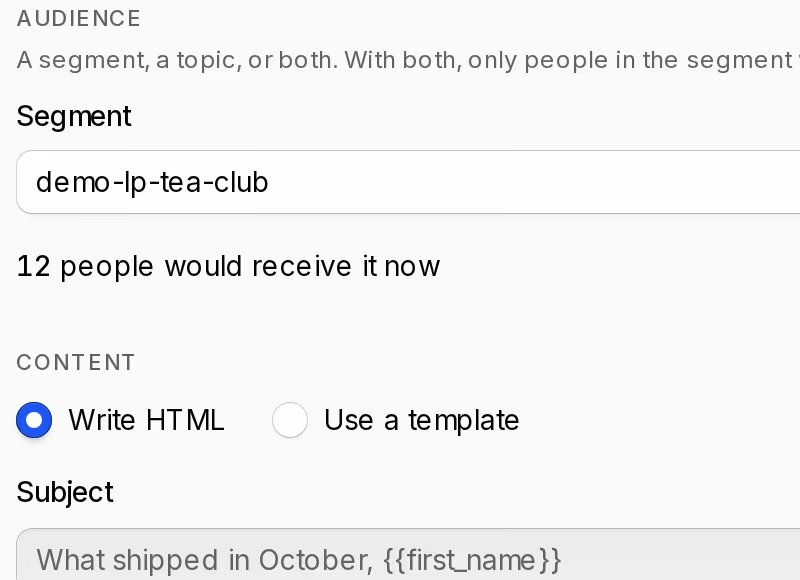
Broadcasts. Pick a segment or a topic, see how many people it will reach, then send now or on a schedule.
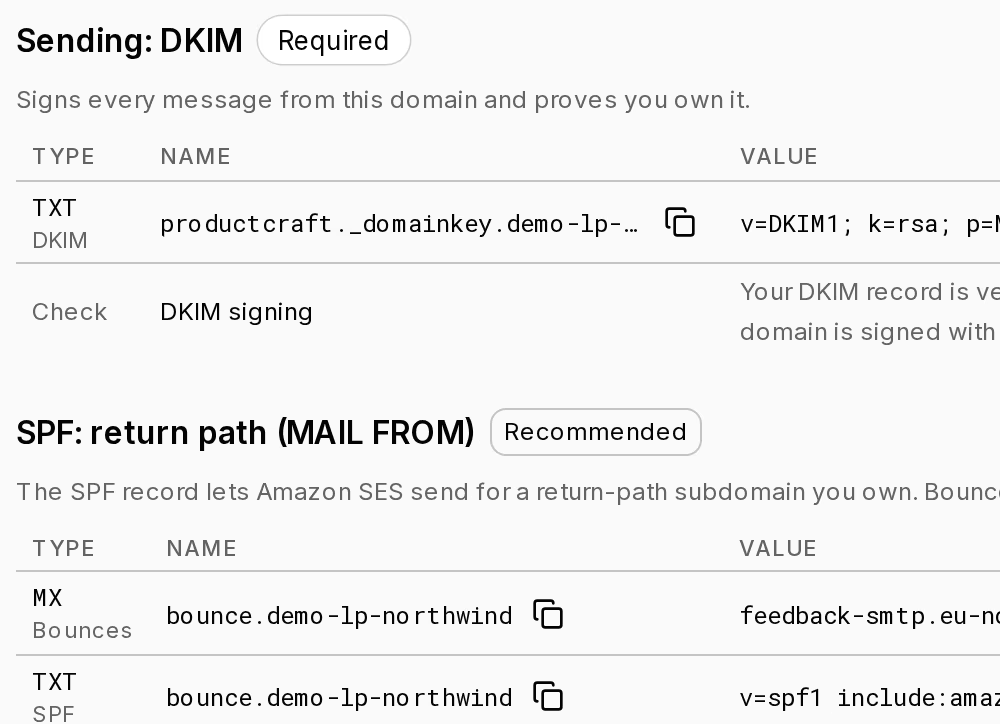
Your domain, signed. A DKIM keypair per domain; add the DNS records once and verify.
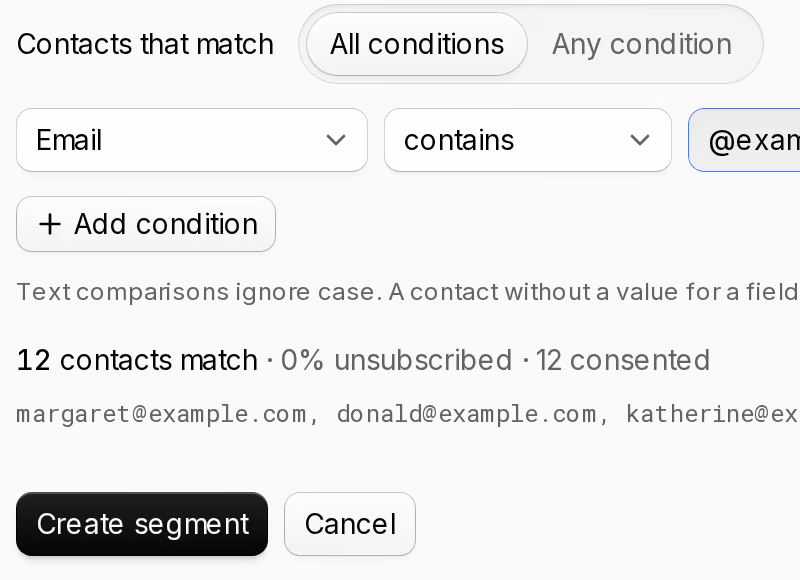
Segments that stay current. Rules on contact fields and properties, with a preview of who matches before you save.


- Retries that cannot double-send. Idempotency-Key on template sends; a retry replays the original response for 24 hours.
- Bring your own relay. Any SMTP relay, per workspace or per domain.
ProductCraft's own transactional email goes through it.
Trawl
Describe the data. Get JSON that matches.
POST a JSON Schema and a one-sentence description; a browser agent returns data that conforms. Results arrive on a signed webhook and stay on the job record.
Describe it The schema and the sentence you send.
The five most recent releases: package name and version.
{ "type": "object", "properties": { "releases": { "type": "array", "maxItems": 5, "items": { "type": "object", "properties": { "package": { "type": "string" }, "version": { "type": "string" } }, "required": [ "package", "version" ] } } }, "required": [ "releases" ] }Get JSON The data the agent returned, checked against your schema.
{
  "releases": [
    {
      "package": "productcraft",
      "version": "0.3.1"
    },
    {
      "package": "@productcraft/social",
      "version": "1.0.0"
    },
    {
      "package": "productcraft",
      "version": "0.3.0"
    },
    {
      "package": "@productcraft/waitlist",
      "version": "0.2.0"
    },
    {
      "package": "@productcraft/trawl",
      "version": "0.2.0"
    }
  ]
}
From the first signup to the first feed.
Waitlist
Signups that don't live in a spreadsheet.
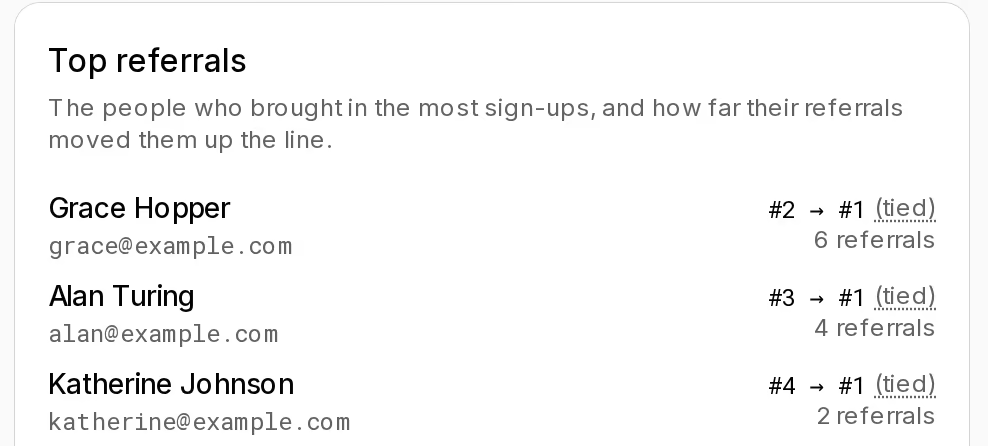
Demo: Grace, Alan and Katherine brought in twelve.
Referrals and A/B/n variants. Positions, a leaderboard and a variant per landing page.
- A public POST, no API key. Your landing page calls it directly; the console gives you the embed snippet.
- Approve, then invite into your Auth app. Signed webhooks with Send test and replay, and CSV export.
One workspace
One workspace. One key. One mental model.
One workspace owns your apps, domains, templates, waitlists, communities, jobs and API keys, and one sign-in at auth.productcraft.co reaches all five in the console.
- sdk
- @productcraft/auth · mail · waitlist · social · trawl, plus the productcraft umbrella. Node.js / TypeScript, server-side, MIT.
- webhooks
- Signed webhooks on all five products, each with Send test, a 30-day event log and replay.
- idempotency
- Idempotency-Key on Mail sends: a retry replays the original response for 24 hours.
signin.ts
import { ProductCraft } from "productcraft";

// Reads PRODUCTCRAFT_API_KEY from the environment
const pc = new ProductCraft();

const consumer = pc.auth.consumer("my-app");
const tokens = await consumer.auth.signin({
  identifier: "alice@example.com",
  password: "...",
});
import { ProductCraft } from "productcraft";

// Key from PRODUCTCRAFT_API_KEY
const pc = new ProductCraft();

const consumer = pc.auth.consumer("my-app");
const tokens = await consumer.auth.signin({
  identifier: "alice@example.com",
  password: "...",
});
200 OK
{
  "access_token": "eyJ…",
  "refresh_token": "eyJ…",
  "token_type": "Bearer",
  "expires_in": 3600
}
REST-first, SDK-optional. Server-side only — every path here is in the OpenAPI spec the docs render from.

From your editor
Claude, Cursor and VS Code can work in your workspace.
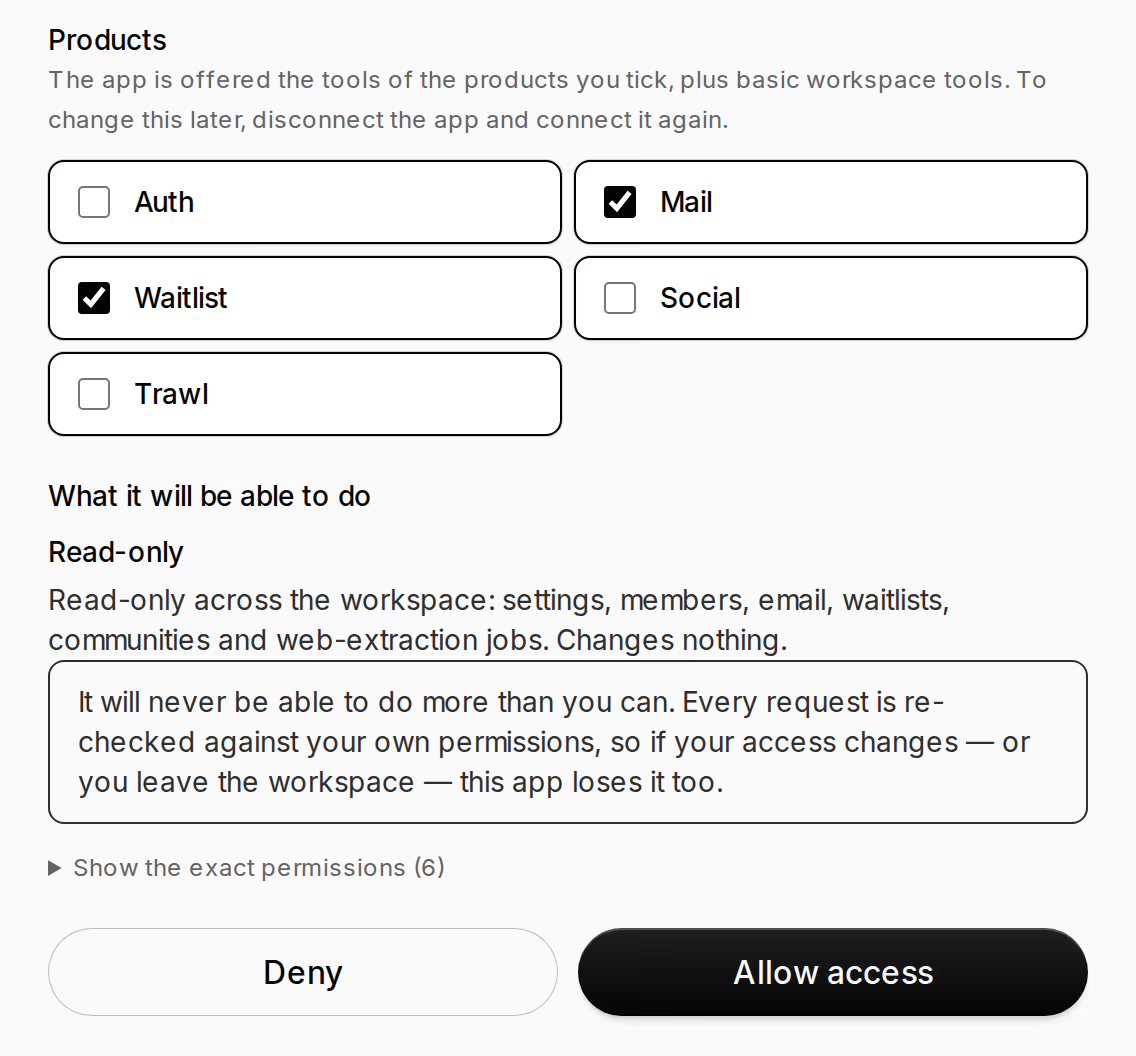
An MCP server at mcp.productcraft.co. You approve the connection in the browser, a policy preset caps what it may do, and every call lands in the audit log.
demo-lp-launch ("Northwind Tea: autumn menu") has 16 people on it, not counting test signups. All 16 are approved. All of them signed up today, 2026-11-05.
12 of the 16 came through a referral (about 75%). Those referrals came from 3 people:
- Grace Hopper: 6 referrals
- Alan Turing: 4
- Katherine Johnson: 2
First three in the queue:
1. Ada Lovelace (ada@example.com)
2. Grace Hopper (grace@example.com)
3. Alan Turing (alan@example.com), who was referred by Grace
Referral rewards have moved people up the queue. Ada, Grace, Alan and Katherine Johnson (4th) all now share effective position 1. So if you're ranking by effective position, those four are tied at the front, and the original signup order is what breaks the tie.
- OAuth in the browser — no API key in a config file.
- Presets: readonly, mail, support, full. Nothing that escalates privilege is ever in a preset.
- Approve only the products it needs, and every policy-gated REST operation of those products is a tool.
Note what is not in that command: a token, a key, a client id, a secret. The only configuration is the URL.
MCP docsChangelog
Shipped, dated, linked.
Every entry is a production deploy. The full list is on the changelog.
- Social SDK 1.1: social.community(id).as(actorId) and a method for every route
- Platform SDK 1.0: workspaces, members, API keys and policies as methods
- Waitlist SDK 1.0: lists, a keyless public form client, and webhook verification
- Mail SDK 1.0: emails.send, templates.send, domains.poll and webhook verification
- Trawl SDK 1.0: jobs.create, createAndPoll, typed errors and webhook verification
- Mail: body redaction now keeps bodies out of the message log entirely
Pick a door
Drop in the boring half. Get back to the rest.
Open a workspace, create an API key, call the product that brought you here. The other four are on the same key.
npm install productcraftpnpm add productcraftyarn add productcraftEach service has a free tier large enough to ship a side project on. Pricing is coming soon.
Social
Feeds, follows and ranking without the rewrite.
Demo: the Northwind Tea Club community.
Community analytics. Members, posts, comments and open flags, each with the last 7 days.